Every agent’s model. One place.
magpie gives every agent every model. Add a provider once — DeepSeek, Kimi, GLM, Qwen, OpenRouter, Ollama, or the Claude and ChatGPT plans you already pay for — and pick it from Codex, Claude Code, Gemini CLI or any other agent, in one click.
 Codex→
 DeepSeek V4 Pro
 Claude Code→
 Kimi K3
 Gemini CLI→
 GLM-5.3
Every agent
- Claude Code
- Codex
- Gemini CLI
 OpenCode
 Pi
Pi Goose
Goose Cursor CLI
 Copilot CLI
 Crush
Crush- DeepSeek Harness
 Command Code
 omp
omp Devin
Devin Hermes Agent
 Grok Build
Every model
- DeepSeek
- Kimi
- GLM
 Qwen
Qwen MiniMax
 Claude
 OpenAI
 Gemini
 Mistral
- xAI
 Groq
Groq OpenRouter
 Ollama
How it works
One gateway speaks every API.
Codex only speaks OpenAI Responses. Claude Code only speaks Anthropic Messages. magpie runs a gateway on your machine that speaks all of them and translates in both directions — streaming, tool calls and reasoning included — so any agent can use any vendor’s model.
Your agents
- CodexResponses
- Claude CodeMessages
- Gemini CLIGemini
- OpenCodeChat
- GooseChat
 magpie gateway
127.0.0.1:3425
- OpenAI Chat · Responses
- Anthropic Messages
- Google Gemini
Any provider
- DeepSeek
- Kimi
- GLM
- Your Claude plan
- Your ChatGPT plan
The menu bar
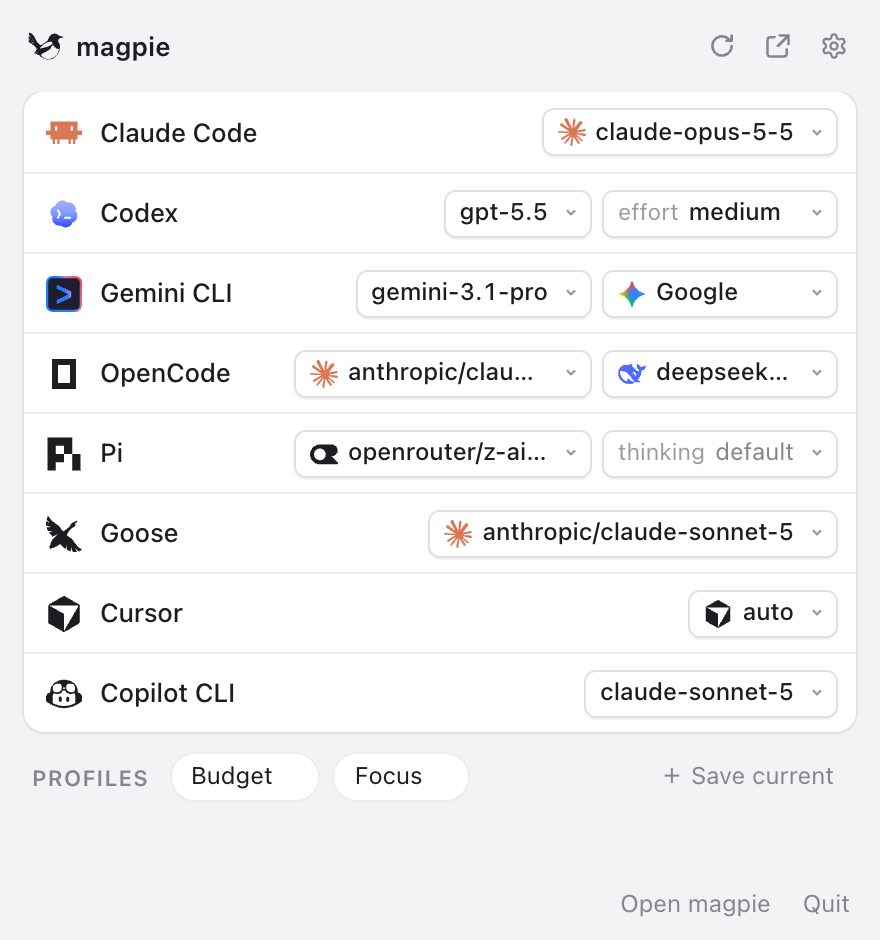
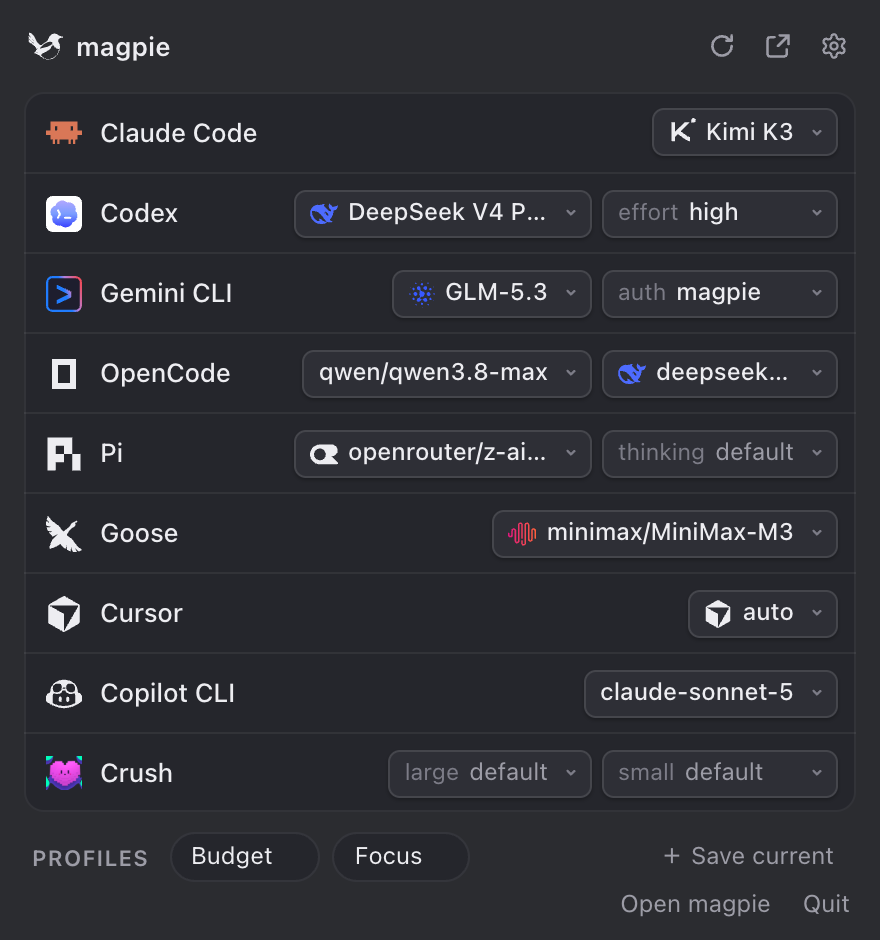
Every agent, its own model.
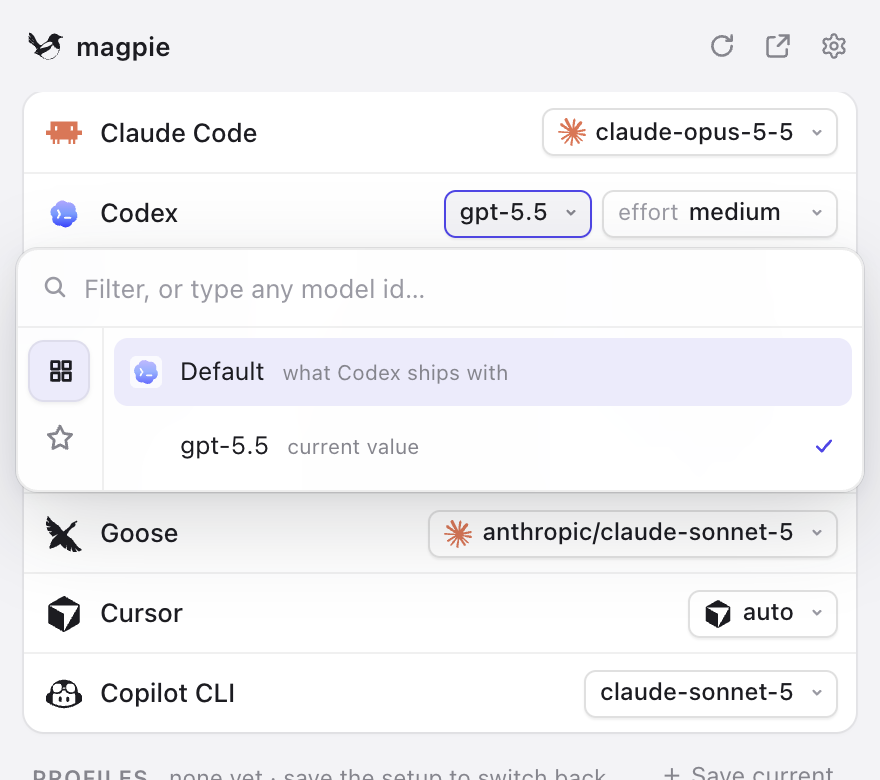
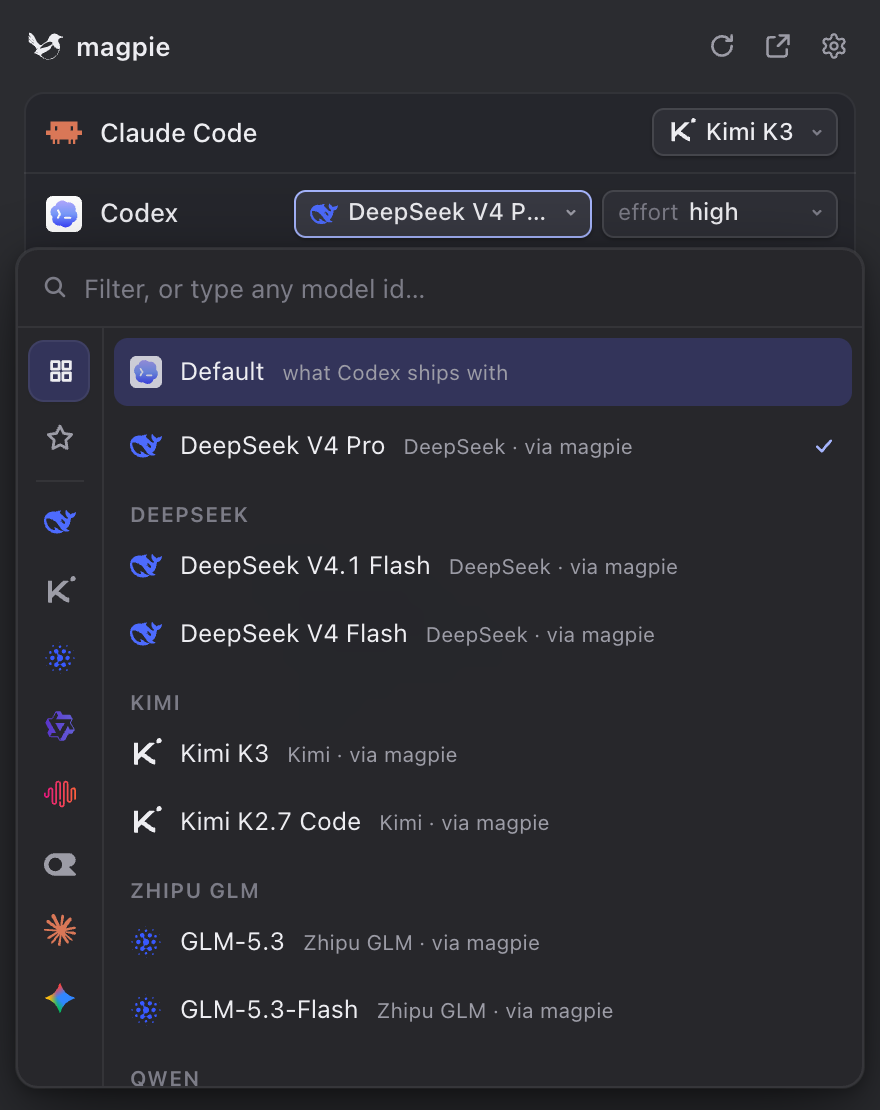
One glance shows what each agent runs. Click a value to change it; magpie rewrites that agent’s config — only the key you changed — and the next session uses it.
- Codex gets DeepSeek in its own
/modellist, with the right reasoning efforts. - Claude Code gets Kimi, GLM or GPT behind
opus,sonnetandhaiku. - Pick the native model and magpie puts back exactly what was there before.
- Profiles switch every agent at once — “Budget”, “Focus”, whatever you save.
Subscriptions, shared
The plans you pay for, in every agent.
Signed in to an agent? That login becomes a provider. Its models show up in every other agent’s picker — nothing copied, no key to paste, tokens refreshed the way the agent does it.
Claude Pro / MaxYour Claude Code sign-in powers OpenCode, Pi or Goose: claude/claude-sonnet-5.
ChatGPT Plus / ProYour Codex sign-in puts GPT in Claude Code: codex/gpt-5.5.
GitHub CopilotYour Copilot seat serves any agent: copilot/claude-sonnet-4.5.
Smart routing
Many accounts. It never runs dry.
Add every key and subscription you have — several Claude, ChatGPT, Copilot or Grok accounts, several keys for one vendor — and turn them all on. For each request magpie picks the account that should answer, and when one can't, the next answers before your agent ever sees an error.
Smart, the default: the account that resets soonest goes first, so no allowance is left to go to waste; any that can't answer are passed over. (Here each request stands for an hour.)
Claude Codeyour agent magpielocalhost:3425Smart
- me@work.dev Claude Maxserving
- me@home.dev Claude Pro38% used · resets in 2 d
- me@home.dev ChatGPT Pro30% used · resets in 4 d
- sk-or-…4f2a OpenRouterpay as you go
- octo-dev Copilot Business24% used · resets in 12 d
Claude Code sends every request to magpie; magpie decides which account answers it.
Reset-aware
The account that resets soonest goes first — what it has left would be lost at the reset. It keeps the requests while it has quota to spare, so its prompt cache stays warm.
Out of credit
A key whose balance ran out sits out half an hour; requests go to one that can still pay.
Rate limits & quotas
An account the vendor has limited is passed over for as long as the vendor asks — its Retry-After and reset headers, no guessing, no hammering.
Failover
A failing account steps back a minute, longer each time it fails again; the request is retried on the next before a byte of the reply reaches your agent.
Providers
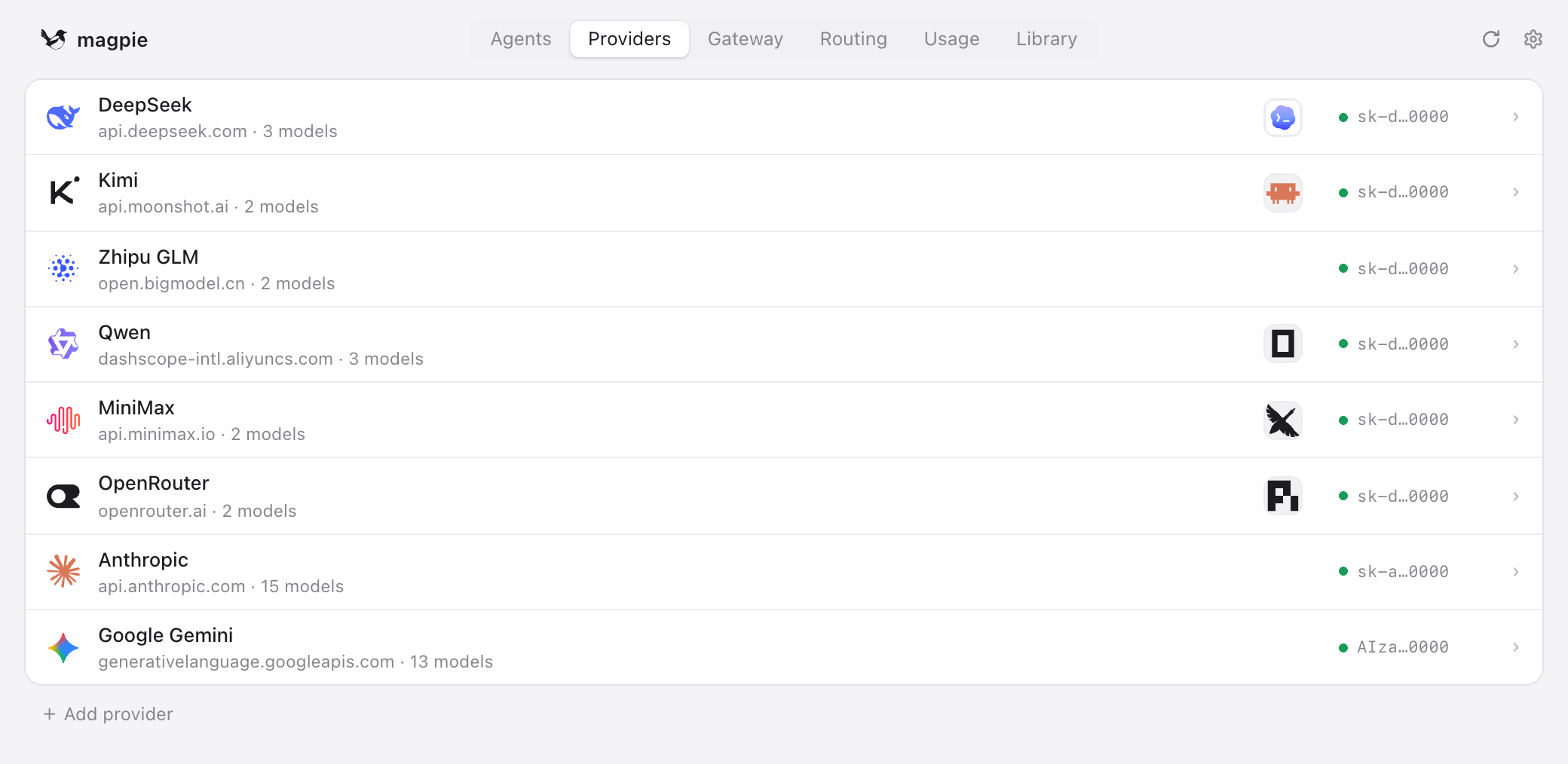
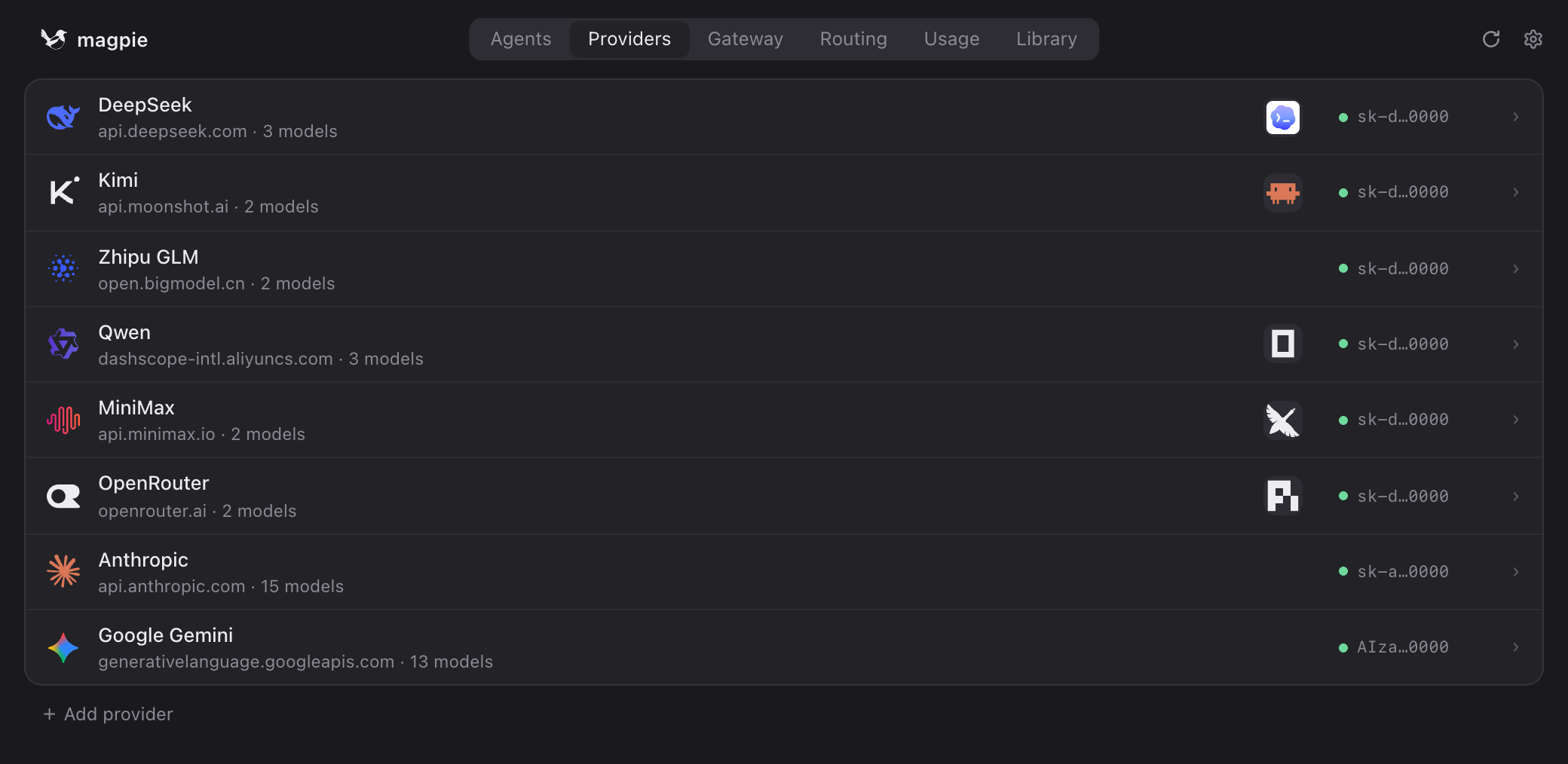
Paste a key. That’s the setup.
Twenty presets — vendors, relays and local servers. magpie asks each vendor which models it serves, so a model released this morning is in every picker on the next refresh. Keys stay in magpie; agents never see them.
Details
Small, careful, and out of the way.
Surgical config edits
Comments, ordering and indentation in settings.json, config.toml or config.yaml survive. Writes are atomic.
Tiny, native, open
Under 15 MB, on the system webview. No Electron, no runtime. MIT-licensed, on GitHub.
No keys from your shell
magpie never reads API keys from environment variables. What you add is what it uses.
Any gateway client
Anything with a base-URL setting can use it: OPENAI_BASE_URL, ANTHROPIC_BASE_URL, GOOGLE_GEMINI_BASE_URL.
Usage, per agent
Tokens, cache hits and cost for each agent and model that went through the gateway.
Updates itself
New versions download quietly and install when you restart. Signed and notarised on the Mac.
Terminal
Also a TUI and a CLI.
The same app, from a terminal. The installer puts the magpie command in ~/.local/bin and the app where it belongs: /Applications on a Mac, your app menu on Linux.
curl -fsSL https://usemagpie.ai/install.sh | sh# add providers magpie provider add deepseek sk-… # a preset needs only the key magpie provider add moonshot sk-… magpie provider add ollama # local servers need none # give agents third-party models magpie codex deepseek/deepseek-v4-pro magpie claude moonshot/kimi-k3 magpie gemini zhipu/glm-5.3 magpie opencode claude/claude-sonnet-5 # your Claude plan, in OpenCode # one model over several providers magpie group add opus models=claude/claude-opus-5-5,copilot/claude-opus-5.5 routing=order magpie claude group/opus magpie ls # every agent and its model magpie save work && magpie use work # profiles magpie tui # the whole app, in the terminal
Every agent. Every model.
Free, open source, native. For macOS, Windows and Linux.